Droid, VibeProxy, and LiteLLM: A Field Guide to BYOK Coding Agents
How we wired Factory Droid through VibeProxy OAuth, Z.AI's coding endpoint, and LiteLLM Azure routes without confusing model auth, account auth, or proxy shapes.

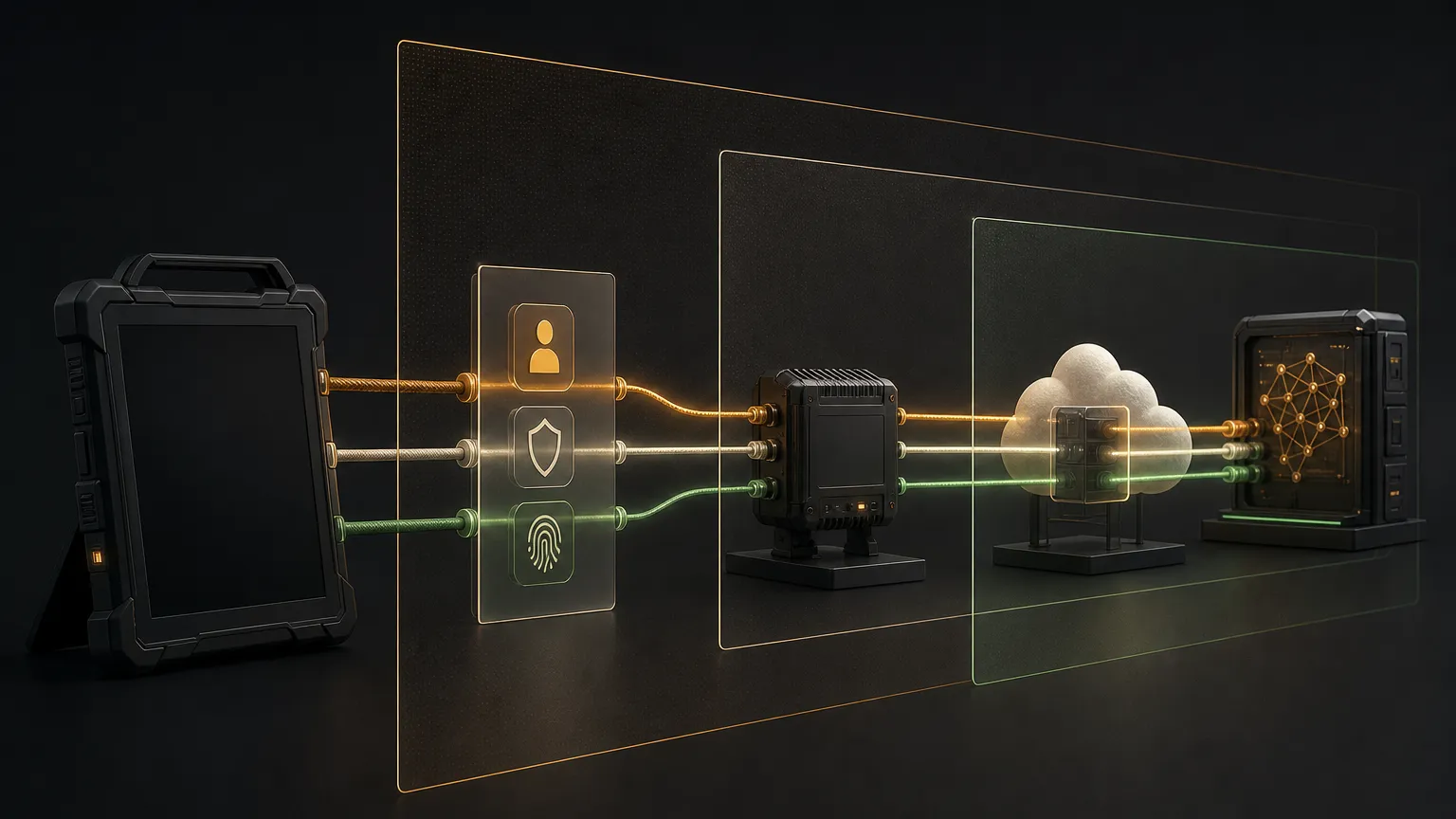
We spent the day getting Factory Droid to behave like an operator tool instead of a mystery box.
The goal was simple enough: make Droid use the model routes we already pay for. Kimi through OAuth. GLM through the Z.AI coding endpoint. Azure GPT models through LiteLLM. Same setup on two Macs. Same model IDs. Same smoke tests.
The actual work was mostly finding the borders between systems that look similar until they fail differently.
Useful, in other words.
The short version
Droid can run with bring-your-own model routes, but you have to keep three layers separate:
Factory Droid account auth
  lets Droid run tasks and register computers

Droid customModels
  tells Droid where inference should go

Local/proxy model surfaces
  VibeProxy, LiteLLM, or direct provider endpoints
If any one of those is wrong, the whole thing looks broken. The trick is not treating every failure as a bad API key.
Our working routing shape ended up like this:
Droid
  -> Kimi via VibeProxy OAuth
  -> GLM via Z.AI coding endpoint
  -> Azure GPT models via LiteLLM
One machine can run the proxy locally. Another can reach it over a private network. Keep secrets out of the config examples. The agents do not need more opportunities to paste keys into logs. They are creative enough already.
Why VibeProxy matters
VibeProxy is a macOS menu bar app that turns subscription OAuth sessions into local API surfaces.
That matters because paid subscriptions and API keys are different economic systems. For major western providers, we prefer OAuth routes when they work:
- ChatGPT / OpenAI subscription routes
- Claude / Anthropic subscription routes
- GitHub Copilot routes
- Kimi OAuth routes when the direct coding API rejects the caller
The local surface usually lives around:
http://localhost:8317OpenAI-compatible routes use /v1:
http://localhost:8317/v1Anthropic-style routes do not:
http://localhost:8317That one slash is small. It still gets a vote.
The Droid config shape
Droid reads model routes from:
~/.factory/settings.jsonThe important field is customModels.
A Kimi-through-VibeProxy route looks like this:
{
  "model": "kimi-k2.5",
  "id": "custom:Kimi-K2.5-[Kimi-Coding]-0",
  "index": 0,
  "baseUrl": "http://localhost:8317/v1",
  "apiKey": "vibeproxy",
  "displayName": "Kimi K2.5 [VibeProxy]",
  "maxOutputTokens": 262144,
  "noImageSupport": false,
  "provider": "generic-chat-completion-api"
}
The id is what you select in Droid. The model is what gets sent to the API. They are not the same thing.
Use the custom ID when running Droid:
droid exec \
  -m 'custom:Kimi-K2.5-[Kimi-Coding]-0' \
  --auto low \
  --cwd /tmp \
  'Reply exactly: KIMI_READY'
If you pass the raw model name, Droid may route through Factory’s default billing path instead of your BYOK route. Then you get a subscription or payment error while the custom route was fine the whole time.
Classic wrong-door problem. The door had a sign. We still tried the wall.
Kimi: direct API versus OAuth
Kimi has a coding endpoint:
https://api.kimi.com/coding/v1That endpoint can reject callers that are not on Kimi’s coding-agent allowlist. When Droid gets a response like:
403 access_terminated_errordo not keep rotating base URLs like a raccoon with a keyboard.
Use Kimi through VibeProxy OAuth instead:
Droid -> http://localhost:8317/v1 -> Kimi OAuth sessionThen verify the model list:
curl -sS \
  -H 'Authorization: Bearer <proxy-password>' \
  http://127.0.0.1:8317/v1/models
After that, run the Droid sentinel test. Model exposure is evidence. A completed Droid task is proof.
GLM: use the coding endpoint
GLM worked best as a direct Z.AI route using the coding endpoint:
https://api.z.ai/api/coding/paas/v4Not this:
https://api.z.ai/api/paas/v4Those routes can draw from different balances. If you use the generic endpoint by accident, you may debug the wrong account, the wrong quota, and the wrong bill.
The Droid model entry should use the generic chat-completion provider shape:
{
  "model": "glm-5.1",
  "id": "custom:GLM-5.1-[ZAI]-1",
  "baseUrl": "https://api.z.ai/api/coding/paas/v4",
  "provider": "generic-chat-completion-api",
  "displayName": "GLM-5.1 [ZAI Coding]"
}
Verify it with a small task:
droid exec \
  -m 'custom:GLM-5.1-[ZAI]-1' \
  --auto low \
  --cwd /tmp \
  'Reply exactly: GLM_READY'
If the sentinel does not come back exactly, keep investigating. Do not write a celebratory thread. Infrastructure can smell optimism.
LiteLLM: the Azure bridge
Azure OpenAI is close enough to OpenAI-compatible to invite assumptions, and different enough to punish them.
LiteLLM gives Droid a normal OpenAI-compatible surface:
Droid -> LiteLLM /v1 -> Azure deploymentThe Droid route looks like this conceptually:
{
  "model": "gpt-5.5",
  "id": "custom:gpt-5-5-[LiteLLM]-6",
  "baseUrl": "http://<litellm-host>:4000/v1",
  "apiKey": "<litellm-proxy-key>",
  "displayName": "gpt-5.5 [LiteLLM]",
  "provider": "generic-chat-completion-api"
}
Use a local URL when Droid and LiteLLM are on the same machine:
http://127.0.0.1:4000/v1Use a private-network host when Droid is on a different machine:
http://<private-litellm-host>:4000/v1Then test the route through Droid, not just through curl:
droid exec \
  -m 'custom:gpt-5-5-[LiteLLM]-6' \
  --auto low \
  --cwd /tmp \
  'Reply exactly: DROID_LITELLM_OK'
The exact model IDs are your contract. Keep them stable across devices when possible. Change the base URL per machine. Do not change the human workflow unless you enjoy teaching your own tools new names every morning.
The auth trap
Droid has two auth systems.
This is the part that wastes the day if nobody names it.
Layer: Factory/Droid account auth
Where it lives: Droid internal storage/daemon
What it does: lets Droid run tasks and register computers

Layer: Model auth
Where it lives: ~/.factory/settings.json
What it does: pays for inference and routes model calls
You can have perfect model keys and still fail at:
Checking authentication...That does not necessarily mean Kimi, GLM, LiteLLM, or VibeProxy is broken. It may mean Droid’s own account token or computer registration is missing.
Check account/relay state first:
droid computer listIf the computer is missing, register it:
droid computer register <machine-name> --yesIf the daemon is down, start it in the mode your setup expects. For remote access, the shape is usually:
droid daemon --remote-access --droid-path "$HOME/.local/bin/droid"Model auth makes the model answer. Account auth lets Droid ask the question. Similar hallway, different locked door.
Multi-device pattern
For a two-Mac setup, keep the model IDs the same and let only local details differ.
Shared across machines:
custom:Kimi-K2.5-[Kimi-Coding]-0
custom:GLM-5.1-[ZAI]-1
custom:gpt-5-5-[LiteLLM]-6
Different per machine:
- home directory
- Droid binary path
- VibeProxy token files
- LiteLLM base URL
- local daemon state
OAuth token files can often be copied between same-account Macs, but token presence is not enough. The VibeProxy app must be running and exposing models locally.
Check that before blaming Droid:
curl -sS \
  -H 'Authorization: Bearer <proxy-password>' \
  http://127.0.0.1:8317/v1/models
Then run Droid’s own sentinel tests.
Safe update workflow
When editing settings.json, do not hand-edit with shell string surgery. Back up the file, parse JSON, modify the object, write JSON back.
python3 - <<'PY'
import datetime
import json
import pathlib
import shutil

p = pathlib.Path.home() / '.factory' / 'settings.json'
ts = datetime.datetime.utcnow().strftime('%Y%m%dT%H%M%SZ')
backup = p.with_suffix(p.suffix + f'.backup-{ts}')
shutil.copy2(p, backup)

data = json.loads(p.read_text())
models = data.setdefault('customModels', [])

# Modify models here.

p.write_text(json.dumps(data, indent=2) + '\n')
print('backup:', backup)
PY
Then run one sentinel per route:
droid exec -m 'custom:Kimi-K2.5-[Kimi-Coding]-0' --auto low --cwd /tmp 'Reply exactly: KIMI_READY'
droid exec -m 'custom:GLM-5.1-[ZAI]-1' --auto low --cwd /tmp 'Reply exactly: GLM_READY'
droid exec -m 'custom:gpt-5-5-[LiteLLM]-6' --auto low --cwd /tmp 'Reply exactly: DROID_LITELLM_OK'
If you run this on multiple machines, collect the results separately. “It worked somewhere” is not an ops report. It is a weather rumor.
The checklist
Before you say Droid is ready:
droid computer listshows the machine- VibeProxy exposes the expected models
- GLM uses the Z.AI coding endpoint, not the generic endpoint
- LiteLLM answers on
/v1/modelswith the proxy key - Droid returns exact sentinels for Kimi, GLM, and LiteLLM
- No secrets appear in docs, logs, screenshots, or chat output
That last one is not decoration. Agent stacks are very good at turning debug output into archaeology. Make sure future you does not need a brush and a lawyer.
What we learned
The working setup was not hard because any one piece was exotic. It was hard because every piece had a plausible wrong version.
- Kimi direct API was plausible. VibeProxy was the working Droid route.
- GLM generic endpoint was plausible. The coding endpoint was the right one.
- Azure direct routing was plausible. LiteLLM was the clean bridge.
- Model keys looked like auth. Droid account auth was separate.
- Curl success looked like completion. Droid sentinel tests were the proof.
That is the pattern worth keeping.
Build the route map. Name every auth boundary. Test each model through the tool that will actually use it.
Then write it down before the system gets clever again.
Keep reading
All posts
Friends of Clawdicians #16
GPT-6.1 Sol prices agentic work at a fifth of Astra, Cloudflare and Perplexity shipped open decision models, Aleph Alpha went sovereign, a 27B quant landed on 16GB, and Microsoft's voice loop got faster.


Friends of Clawdicians #15
Open weights got fast with a 309B MoE at 2,000 tokens per second, Xiaomi opened 7,780 RL environments, judgment got a sub-cent price tag, and agent-built artifacts finally shipped with human editing controls.

Friends of Clawdicians #14
The week the harness got receipts: a consistency tool that catches agents passing once and failing later, inspectable Markdown memory, and the open alternative to closed personal agents.
Get the next one when it ships.